Revolutionize Your WooCommerce Inventory
The only plugin that can Add, Subtract, or Replace stock — per column, per import, all at once. Whether you manage daily supplier updates, multiple warehouses, or thousands of products — Stock Updater Pro handles it all in seconds.
Per-Column Actions — Simultaneously
This is what makes Stock Updater Pro truly unique: each column in your import can have a different action. Add stock in column A, subtract in column B, replace prices in column C — all in one single import.
No other plugin on the market can do this. Period.
4 Modes: Replace · Add to existing · Subtract · Replace if empty
Built for Speed, Reliability & Ease of Use
The tool that WooCommerce store owners have been waiting for. Import thousands of products in seconds, not hours.
Drag & Drop Import
Simply drag your CSV or Excel file into the upload area. Works with any file format from any supplier.
Smart Column Mapping
Auto-detects columns and lets you map them to product fields. Remembers your settings for future imports.
Dry Run Preview
See exactly what will change BEFORE applying. Shows old → new value for each product. Never make mistakes.
Add / Subtract Modes
The world's only plugin that can add or subtract stock, not just replace. Perfect for partial shipments.
ExclusivePrice Updates
Update regular prices and sale prices in bulk. Perfect for seasonal promotions and supplier price changes.
Multiple Search Options
Find products by SKU, Product ID, or Title. Exact match or fuzzy matching available.
Import History
Complete log of all imports with date, user, filename, and success/error counts. Click to see details.
Email Notifications
Get notified when imports complete. Options for success only, errors only, or all imports.
Unlock Automation & Advanced Capabilities
Take your inventory management to the next level with scheduled imports, rollback, and multivendor support.
Scheduled Imports
Set It & Forget ItAutomatically import stock updates on a schedule. Your inventory stays in sync while you sleep.
- Import from URLs, FTP, Google Sheets, Dropbox
- Every 15min, hourly, daily, or weekly
- Automatic error notifications
- Cron health monitoring
Rollback / Undo
Peace of MindMade a mistake? Instantly undo any import with one click. Complete history of all changes stored.
- One-click undo for any import
- Restore previous values instantly
- Full import history saved
- Never lose data again
Multivendor Support
MarketplacesPerfect for marketplaces. Each vendor can only update their own products. Complete isolation.
- Dokan, WCFM, WC Vendors
- Vendor-specific import history
- Admin can update any product
- Vendor notifications
Unlimited Everything
No LimitsFree version limits 20 products per import. Pro has no limits — import 50,000+ products at once.
- Unlimited products per import
- Unlimited import history
- Batch processing for huge catalogs
- Priority email support
See Stock Updater in Action
A powerful, intuitive interface designed for speed and efficiency
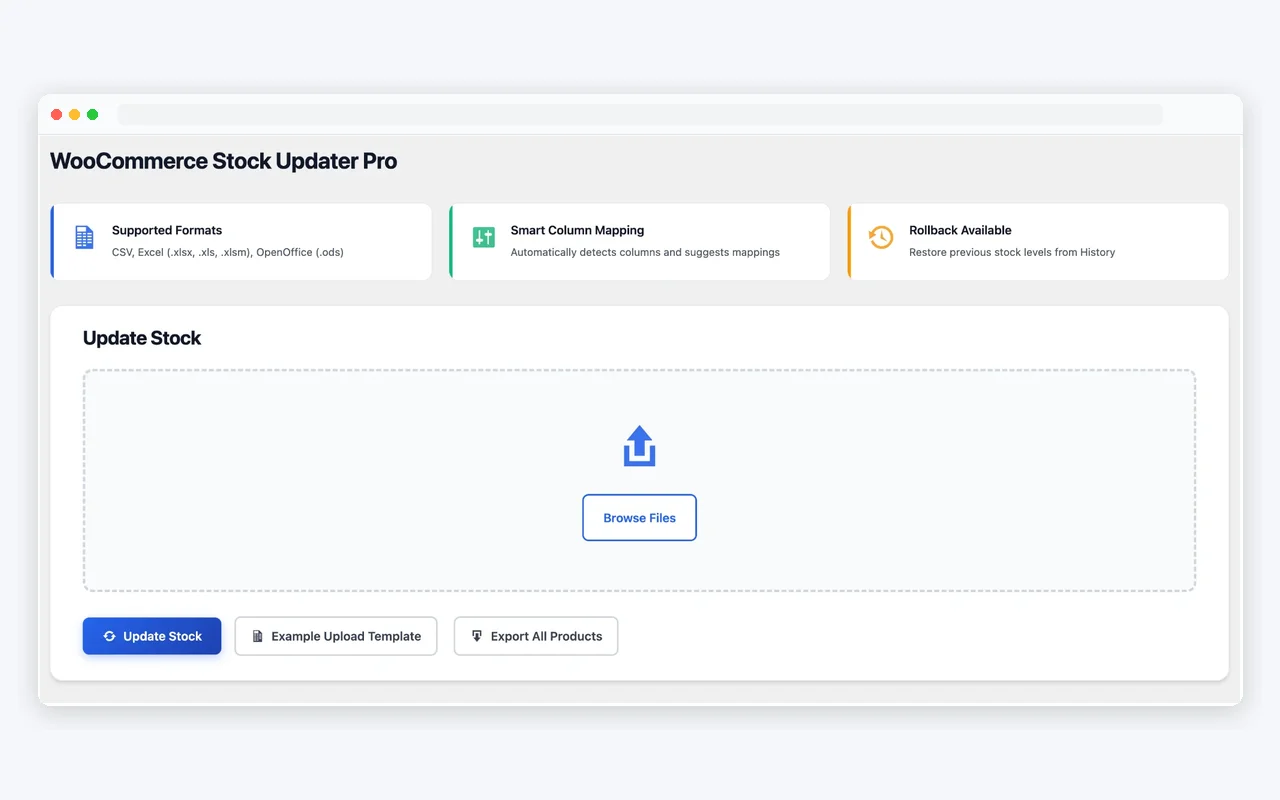
Clean Dashboard
Drag & drop your CSV, Excel, or OpenOffice files to get started instantly
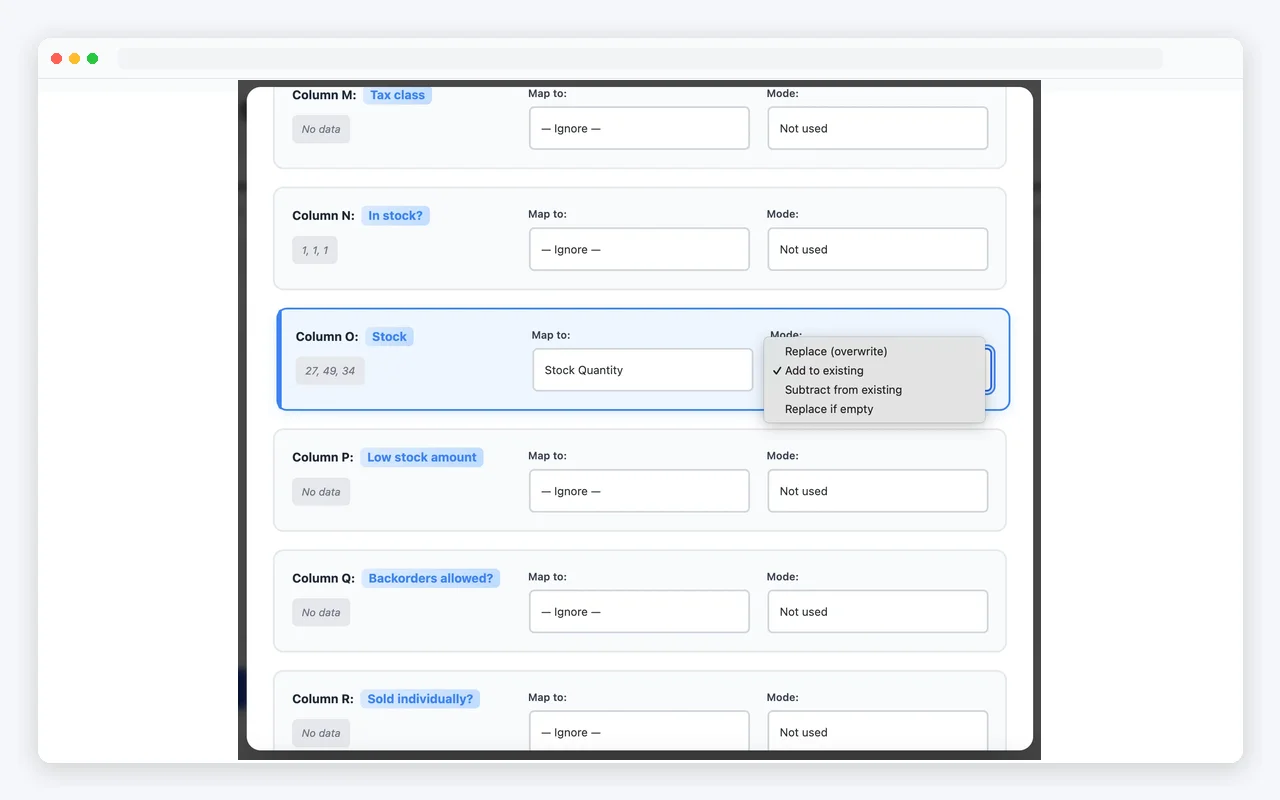
Smart Column Mapping
Automatically detects columns and suggests the right mappings. Choose between Replace, Add, or Subtract modes
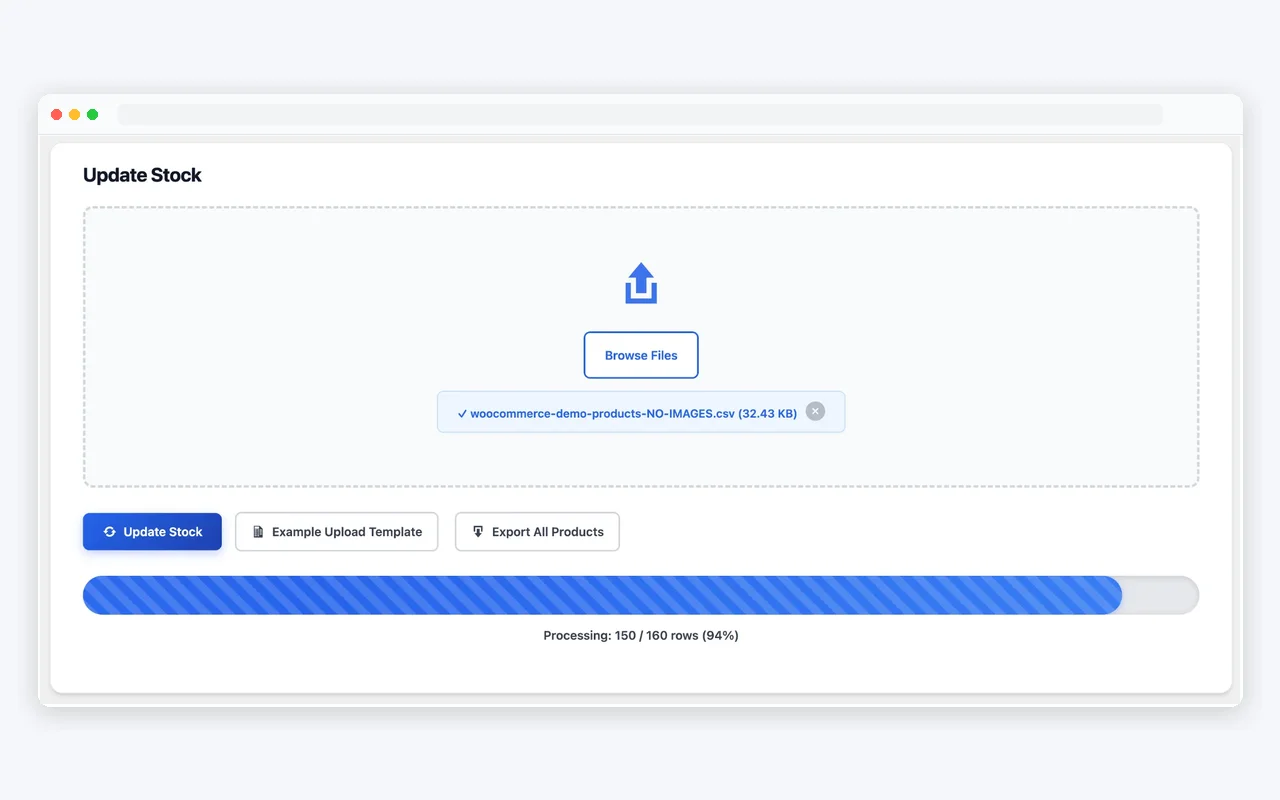
Lightning Fast Processing
Update thousands of products in seconds with real-time progress tracking
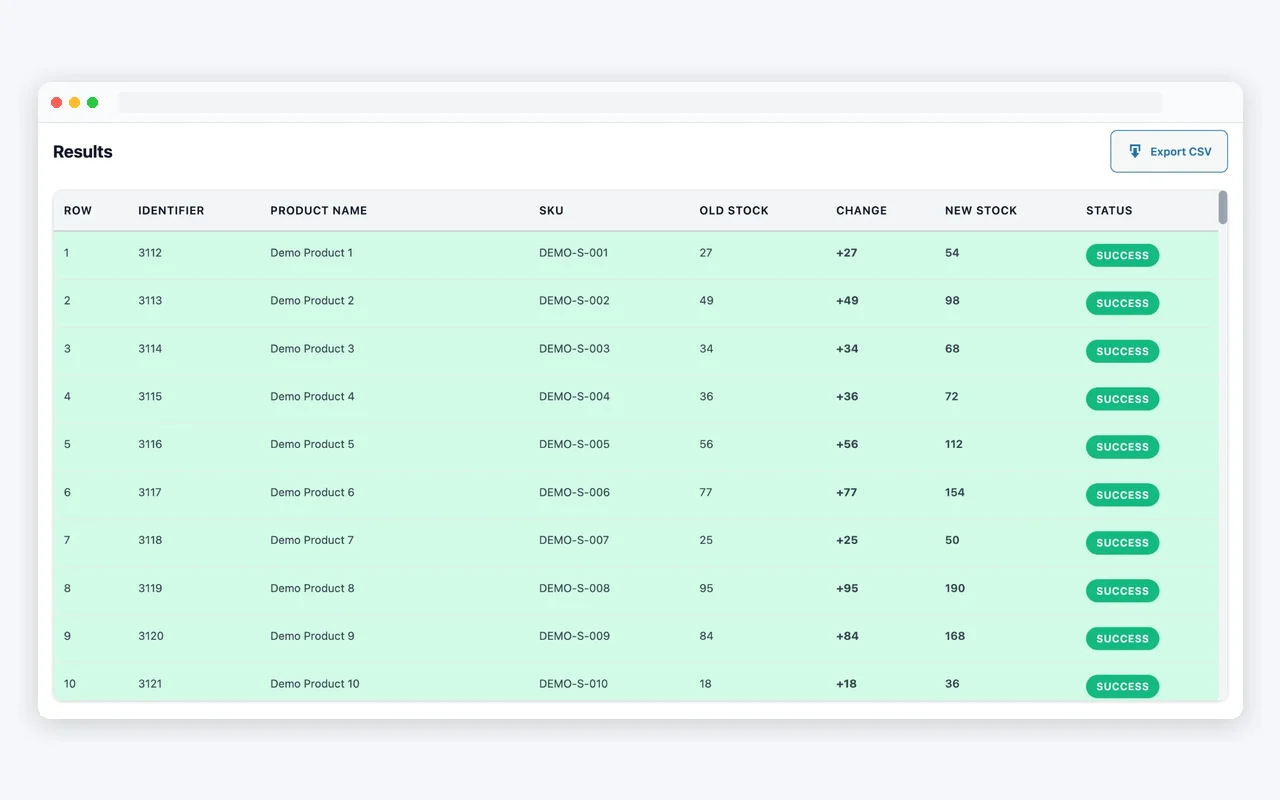
Detailed Results
See exactly what changed with a clear overview of old stock, changes, and new stock for every product
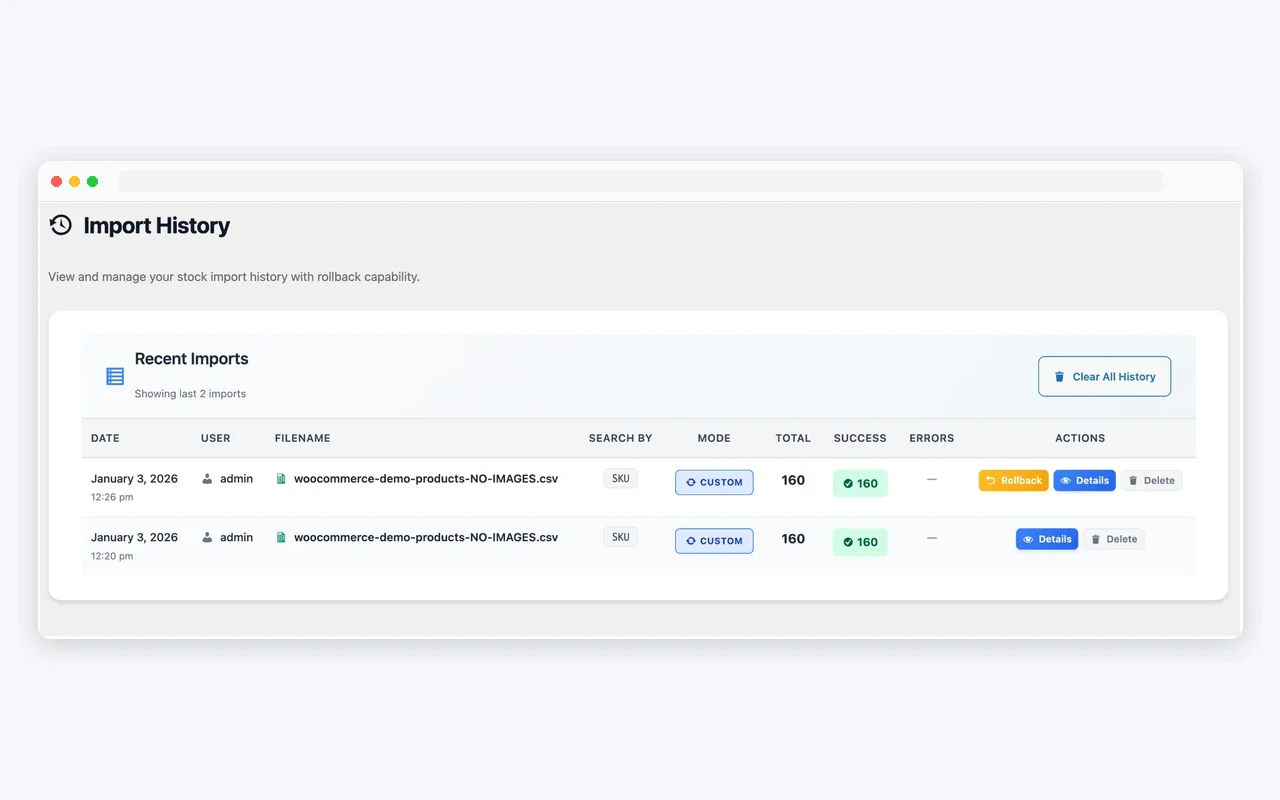
Import History & Rollback
Keep track of all your imports and rollback to previous stock levels with one click
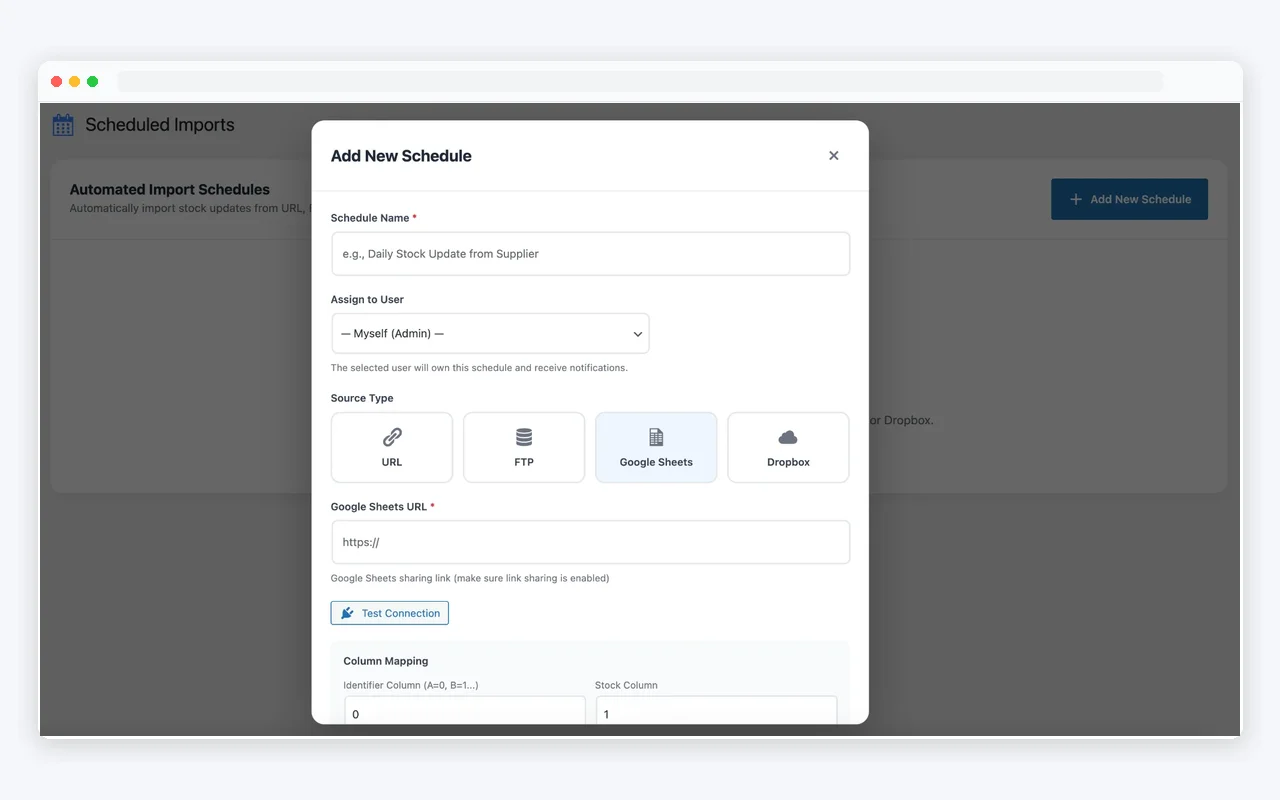
Automated Scheduled Imports
Set up automatic imports from URL, FTP, Google Sheets, or Dropbox. Perfect for suppliers who update their feeds regularly
Free vs Pro
See what's included in each version
Free
Great for getting started
- 20 Products per Import
- 3 Imports per Month
- CSV, XLSX, XLS, ODS Support
- Drag & Drop Upload
- Smart Column Mapping
- Add / Subtract / Replace Modes
- Dry Run Preview
- Price Updates
- Scheduled Imports
- Rollback / Undo
- Multivendor Support
- Email Notifications
- 5 Import History
- Priority Support
Pro
For serious store owners
- ∞ Unlimited Products
- ∞ Unlimited Imports
- CSV, XLSX, XLS, ODS Support
- Drag & Drop Upload
- Smart Column Mapping
- Add / Subtract / Replace Modes
- Dry Run Preview
- Price Updates
- Scheduled Imports (URL, FTP, Sheets)
- Rollback / Undo
- Multivendor Support
- Email Notifications
- ∞ Unlimited History
- Priority Support (24h)
Simple, Transparent Pricing
Choose the plan that fits your needs. All plans include 14-day money-back guarantee.
- All Pro features
- Unlimited products per import
- Scheduled imports
- URL, FTP, Google Sheets, Dropbox
- Rollback / Undo
- 1 year of updates
- Email support
- Everything in Starter
- Use on 5 websites
- Multivendor support
- Advanced notifications
- Priority support (24h)
- Everything in Pro
- Unlimited websites
- Early access to features
- VIP support (12h)
Loved by Store Owners
Join thousands of WooCommerce store owners who save hours every week.
"Stock Updater Pro saves me 5 hours every week. I used to update products manually one by one. Now I just drag a file and it's done in seconds."
"The scheduled imports feature is a game-changer. My inventory syncs with my supplier automatically every morning."
"Finally, a stock plugin that works with our marketplace. Each vendor updates their own inventory without affecting others."
Frequently Asked Questions
What file formats are supported?
What makes the Add/Subtract mode special?
How many products can I update at once?
What's your refund policy?
Ready to Save Hours Every Week?
Join thousands of store owners who use Stock Updater Pro to manage their inventory efficiently.